🛡️
System-wide tunnel
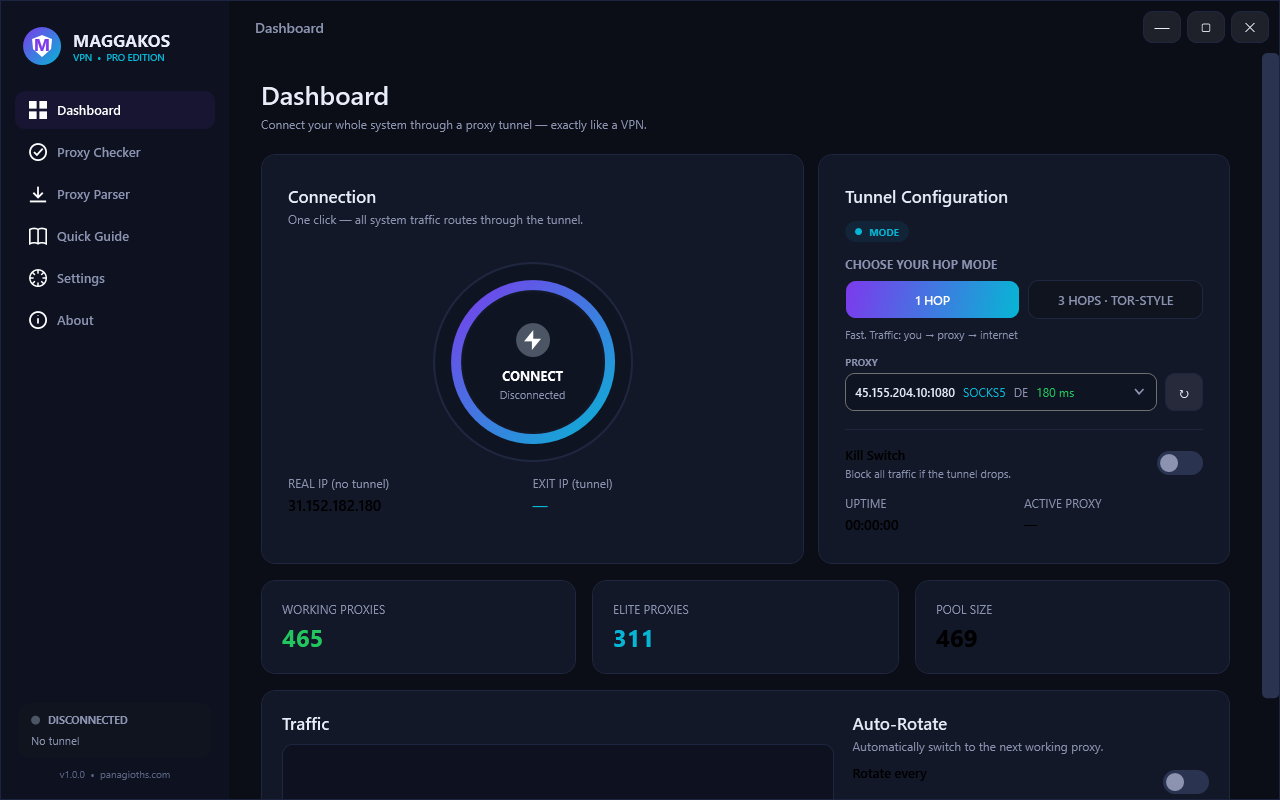
All apps — browsers, games, terminals — route through the tunnel via a real TUN adapter. Works with HTTP, HTTPS, SOCKS4 and SOCKS5 proxies, authenticated or not.
⛓️
Tor-style 3-hop chains
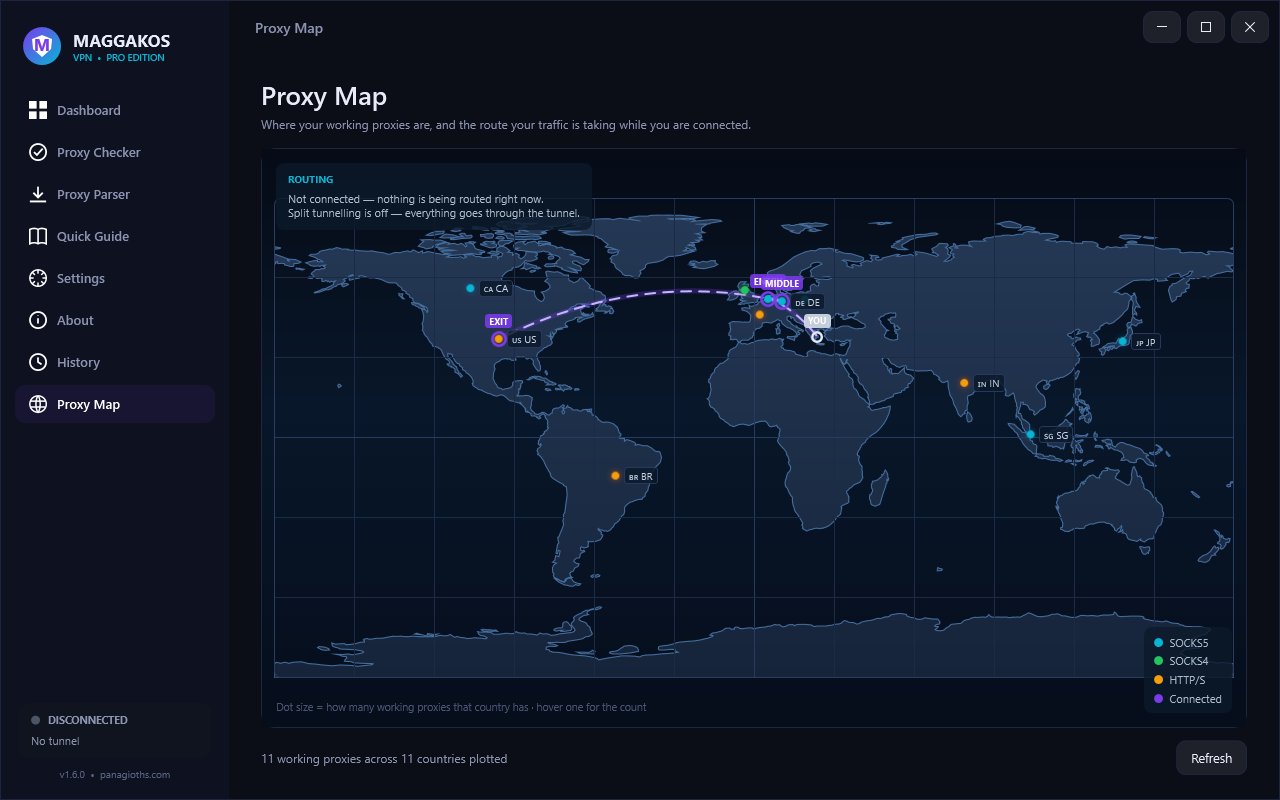
You → Entry → Middle → Exit. Nobody in the chain sees the full path. Auto-picks the best chain for you.
⚡
Elite proxy checker
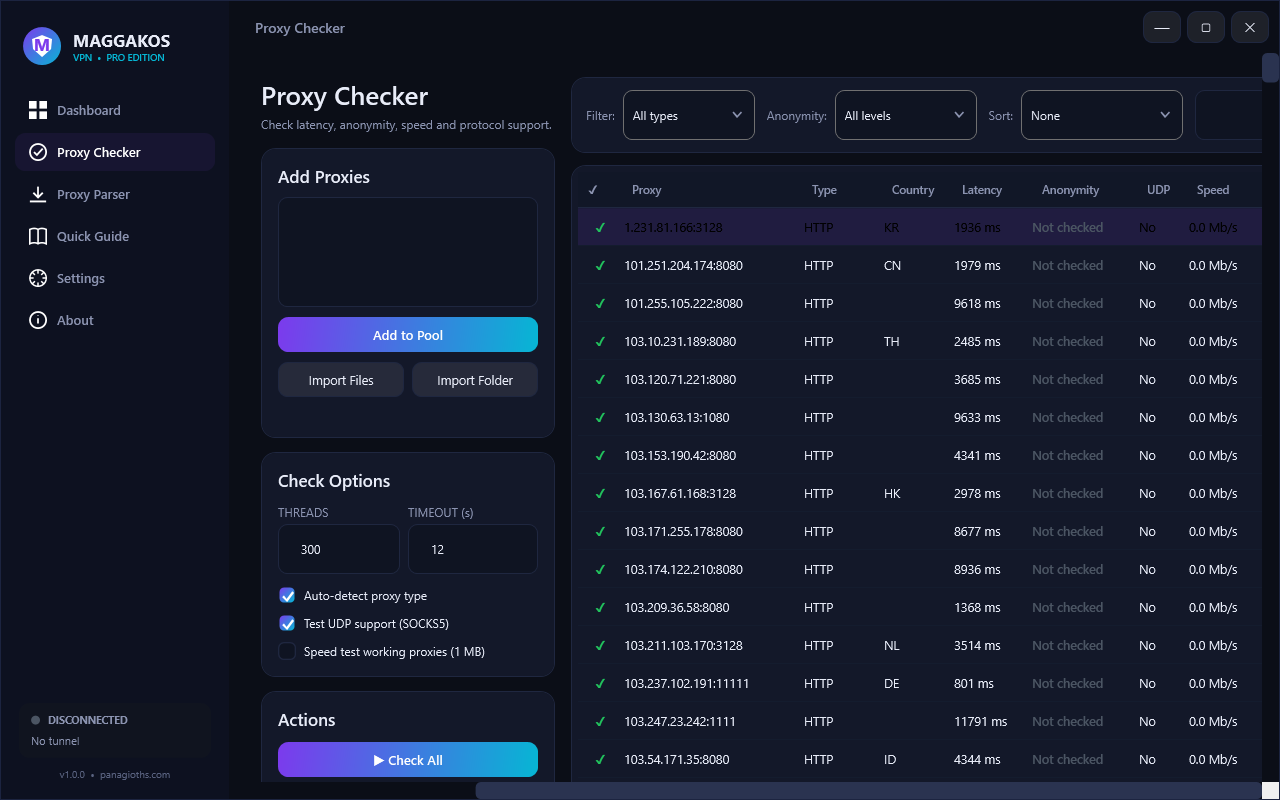
Up to 2000 parallel threads. Latency, anonymity level (Elite / Anonymous / Transparent), country flags, UDP support, a real page-load test and download speed — and it verifies username/password proxies instead of skipping them. Flaky proxies that drop the first connection are retried automatically.
🔑
Authenticated proxies
HTTP Basic, SOCKS5 user/pass and SOCKS4 user id work end to end. Paste credentials with the proxy, or right-click any row → Edit credentials… to add or fix them and re-test on the spot — no need to remove and re-add the proxy.
🧲
Proxy parser & filters
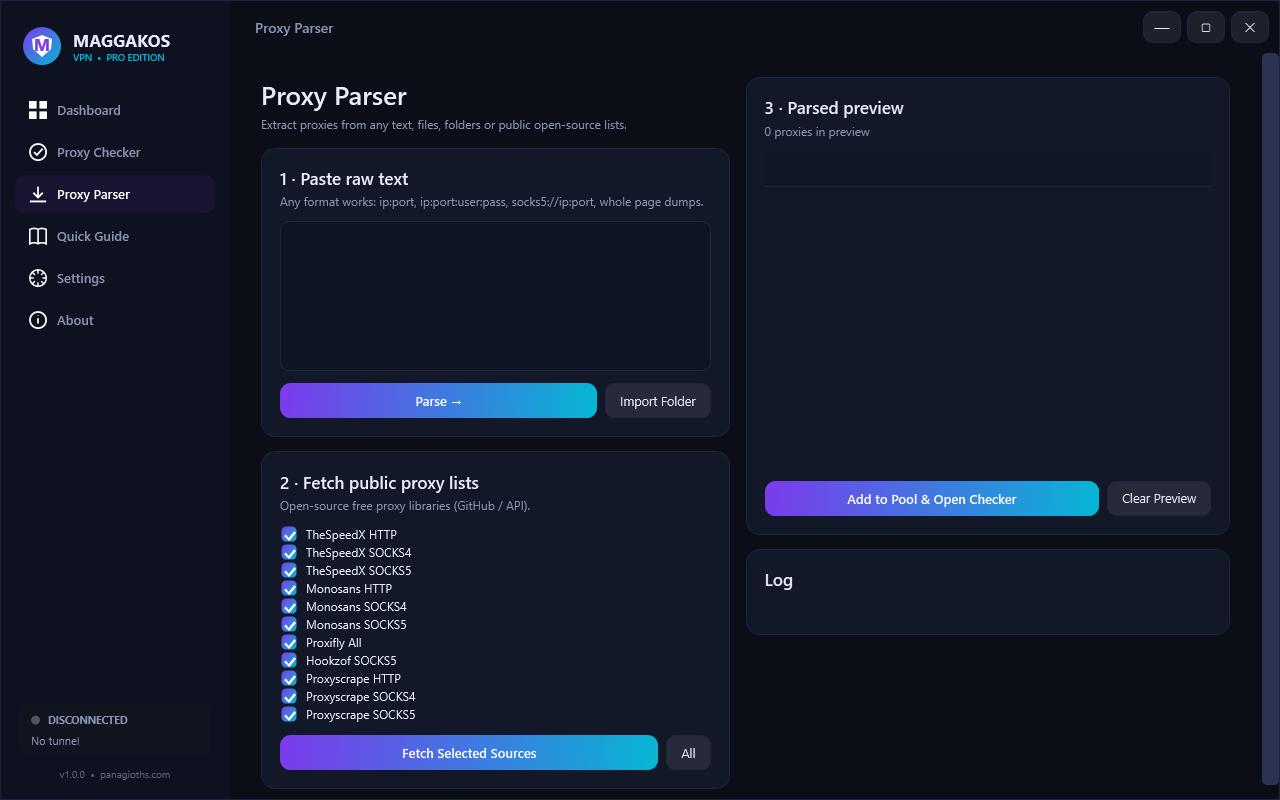
Paste any text, import files/folders, or pull from 11 open-source public lists — downloaded in parallel, so one dead list can't stall the run. Understands ip:port:user:pass, socks5://user:pass@host:port, comments and space-separated credentials. Filter by type, anonymity, auth or tag; click any column header to sort. The preview has its own right-click menu — add selected to the pool, use in VPN, copy, pin or drop rows.
🛡️
WireGuard — a real encrypted VPN
Import a standard .conf from any WireGuard provider or your own server and connect — from a file, or by pasting the text straight out of a provider's web page, so a private key never has to be saved to disk first. Unlike proxy mode this is a true tunnel: no one relay sees your traffic, the key never leaves your machine unencrypted (it is sealed with Windows DPAPI the moment it is imported), and because WireGuard carries UDP, gaming, VoIP and HTTP/3 work instead of being forced back to TCP. It runs on the same core and adapter as proxy mode, so the kill switch, split tunnelling, IPv6 guard and DNS controls all apply unchanged.
🔀
Switch transports in one click
Already connected through a proxy and want the real thing? Connecting a WireGuard tunnel replaces it — deliberately, not by accident. The reverse works too, and a connect you started can be cancelled at any point: the core is stopped on the way out, so cancelling never leaves traffic routing in the background.
🔎
One-button privacy audit
Instead of running four tests and working out what they mean, one button answers "is anything getting out around the tunnel?" — DNS (proved by which resolver answered), IPv6 (against an IPv6-only echo: an IPv4-only tunnel that sees an IPv6 answer is traffic going around it), UDP/WebRTC (a STUN request, whose mapped address is the one a remote peer would be handed), and whether your encrypted resolver really resolves. Only a positive answer that could not have come from anywhere else is called a leak — a probe that did not answer is reported as untested, not as a finding.
🎯
Split tunnelling — and your LAN stays yours
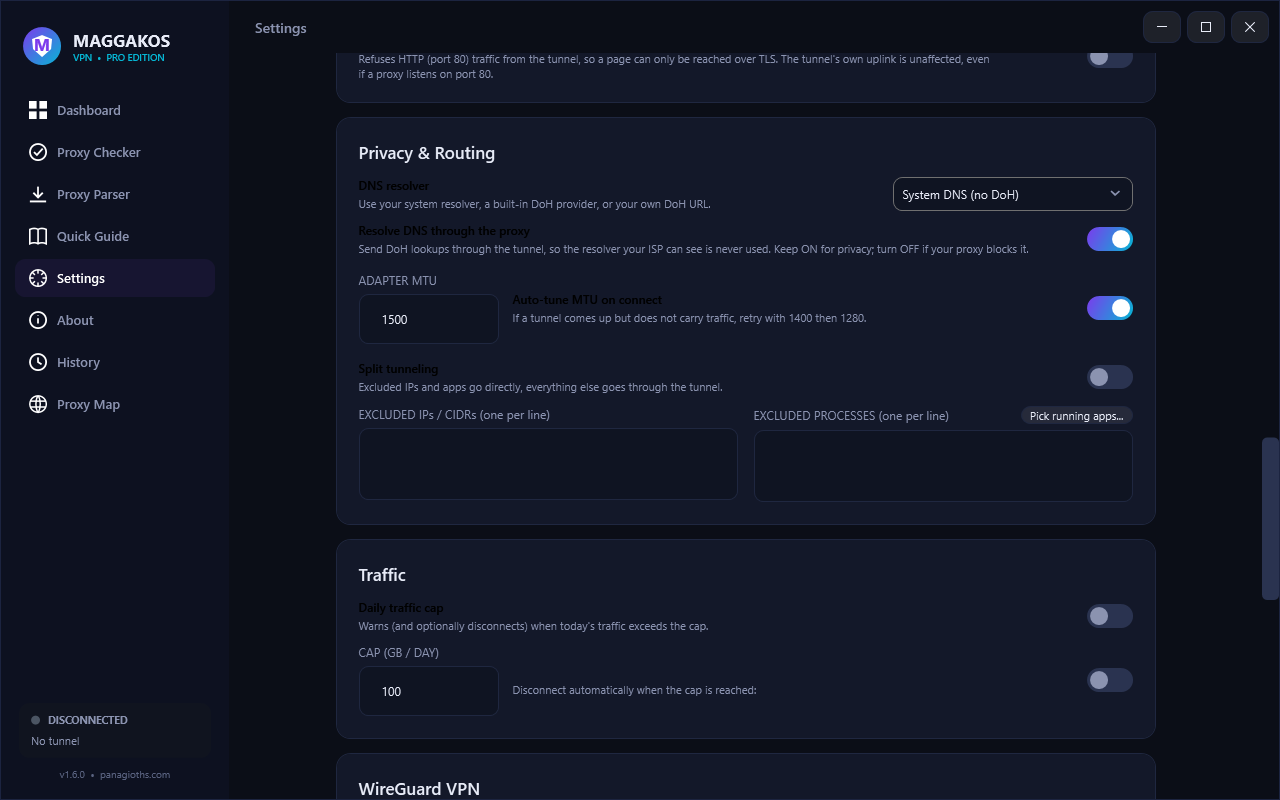
Send particular destinations, or particular apps picked from what is running right now, straight out while everything else is tunnelled — useful for a latency-sensitive game or a work app that must not look like it moved. Private addresses, loopback and link-local ranges never enter the tunnel, so network printers, casting and NAS drives keep working while you are connected. An IP entry that is not a valid range is ignored and shown to you, instead of being handed to the core and breaking every connect.
🧹
Wipe that actually wipes
Panic wipe destroys the pool, saved profiles, history, traffic totals, imported tunnels, logs and clipboard — and overwrites the files before deleting them, because a deletion leaves the bytes behind for any undelete tool. The Windows DNS and ARP caches go with them: the two places the machine remembers where you went.
🔒
Kill switch that really blocks
Strict routing while the tunnel is up, plus a real Windows Firewall block rule on your physical adapter — IPv4 and IPv6 — so nothing escapes if it drops. Local network and DNS stay reachable, and the rule removes itself on disconnect and never outlives a reboot.
🕵️
Private by construction
No account, no telemetry, no analytics — the app only talks to the proxy you chose, plus the IP/geo lookups it needs to verify the tunnel. Passwords are sealed with Windows DPAPI at rest, so the stored pool carries no cleartext. The checker marks WebRTC/DNS leaks and the 3-hop chain hides your IP from the exit.
🌐
DNS you control
Pick a built-in DoH provider — Cloudflare, Google, AdGuard, Quad9, or every Mullvad resolver (base, adblock, extended, family, all) — or your own URL, and choose whether DNS is resolved through the proxy so your ISP never sees the query. Mullvad's public DNS is retiring Nov 2, 2026; Quad9 is the drop-in replacement.
🛠️
Fast to fill your pool
Add one proxy by hand (host, port, and optional username/password), paste from the clipboard, drag files straight onto the window, or import a folder. Ping All refreshes latency in one click, and a Recent connections quick-pick jumps back to a proxy that worked.
🔄
Auto-rotate + traffic stats
Switch proxies automatically on a timer or when one dies. Auto-failover is on by default, and turning it (or auto-rotate) off is remembered across restarts — nothing reconnects on its own. Live up/down graph right on the dashboard.
📌
Pin & per-proxy actions
Star a proxy and the app prefers it everywhere — picker, auto-connect and failover. Every row has Use in VPN, Connect, Copy (with or without credentials), Test latency, Test UDP, Edit credentials, Pin and Remove. Double-click a row to select it as the exit without connecting, and add notes or tags to keep a big pool readable.
🩺
Built-in diagnostics
One click runs a full self-check: VPN core, Wintun driver, storage, internet, DNS, checker endpoints, whether your saved credentials can be decrypted, your whole proxy pool — and which resolver actually answered, a DNS leak test that fails on real evidence rather than on a lookup it doesn't recognise. Copy or save the report.
🗂️
Profiles & encrypted backups
Save separate pools (gaming, streaming, work) and switch instantly. Proxy passwords are sealed with Windows DPAPI at rest, and you can back everything up to a password-protected AES-256 file.
🕶️
Paranoid mode
One switch for maximum privacy: a 3-hop chain, DNS through the proxy, the kill switch, auto-rotation and IPv6 protection — with QUIC and plaintext HTTP rejected inside the tunnel and DNS resolved over an encrypted provider.
🚫
IPv6 leak protection
Native IPv6 is switched off on your physical adapter while the tunnel is up, so an IPv6-only path can't bypass an IPv4/TCP tunnel — and the tunnel itself is IPv4-only by default: it advertises no IPv6 address and refuses AAAA, so a browser never opens an IPv6 connection an exit can't carry. It stands down when a hop needs IPv6, is restored on disconnect, and is restored again after a crash.
🧹
No-logs mode & panic wipe
Turn off the VPN and crash logs entirely, and destroy the pool, connection history, traffic totals, logs and clipboard in one click.